


- Access Debtor's Case: Log into FinView and locate the specific debtor's file.
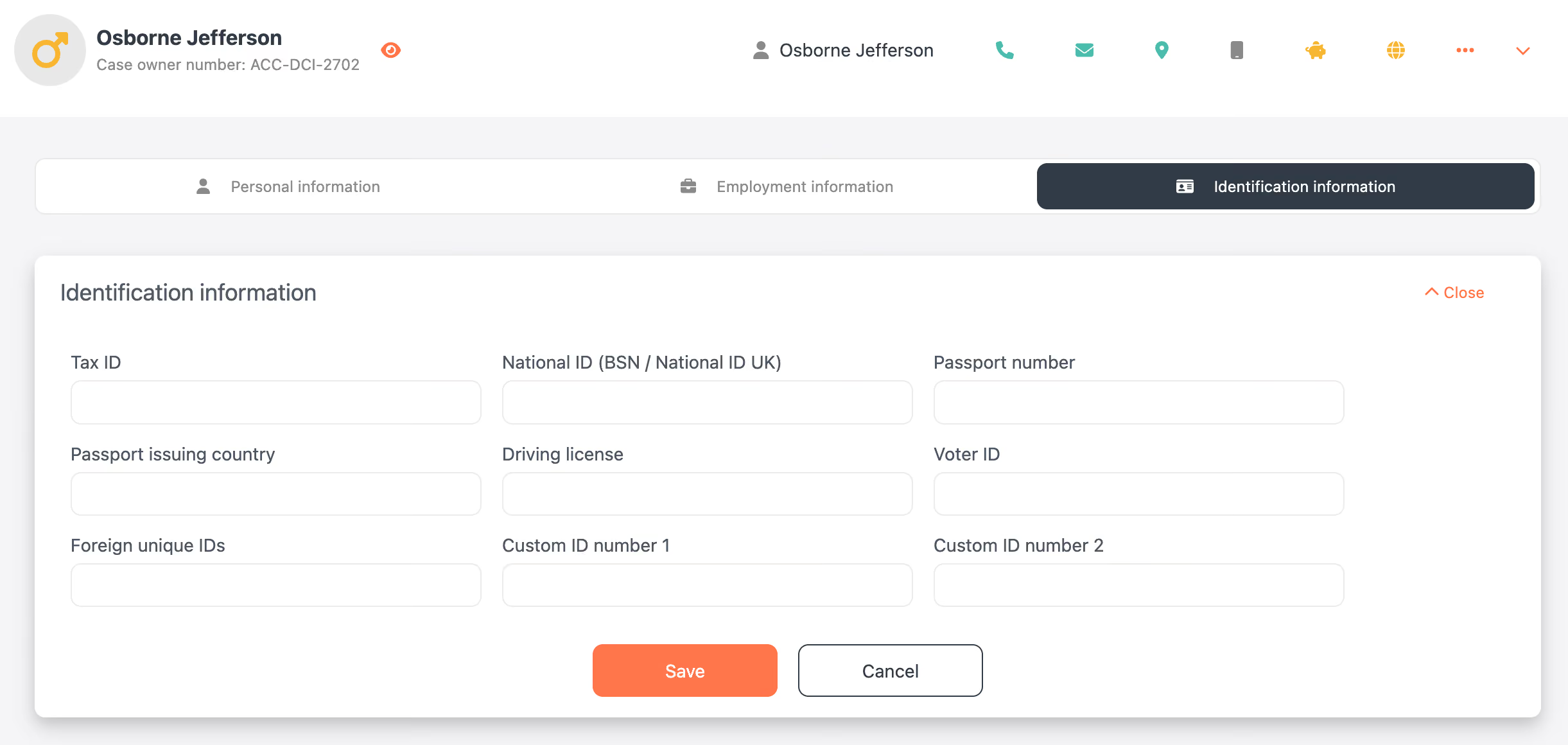
- Open Identification Information: Click the orange eye icon or the first contact card to open the personal information window.
- Navigate to Identification Tab: Select the 'Identification Information' tab.
- Modify Details: Here, you can add or update various identification details, including:
- Tax ID
- National ID (BSN/National ID UK)
- Passport number and issuing country
- Driving license
- Voter ID
- Foreign unique IDs
- Custom ID number 1 and 2
- Save and Confirm: After making changes, click 'Save'. Check the updated information in the contact card and activities panel.
Important Warning: Ensure that the collection and processing of sensitive identification information comply with local data protection and privacy legislation. Always handle such data with utmost care and legality.

Dylan de Blieck

Related articles
No items found.